The payroll ran. Employees got paid. CPP, EI, and income tax were withheld correctly. The CRA remittance went out on time. And the books were still wrong.
I’ve seen this play out dozens of times across client files. The payroll provider did its job, the calculations were accurate, and the net pay hit the right bank accounts. But when we pulled up the GL, wages expense was short by a full pay run, a liability account carried a balance from three months ago that nobody could explain, and the employer CPP contributions had been posting to the wrong expense account since onboarding.
That gap between “payroll was processed correctly” and “payroll was recorded correctly in the accounting records” is exactly where payroll-to-general-ledger reconciliation lives. By the end of this piece, you’ll understand how to trace payroll through the full chain of accounting records, where the common breakpoints hide, and what a reviewer should actually be checking beyond “does the journal entry balance.”
In short
Payroll-to-GL reconciliation verifies that payroll activity, as calculated by the payroll system, has been recorded accurately in the client’s general ledger, covering wages expense, employer costs, source deductions, net pay, and the related liability and bank accounts. Payroll can be processed perfectly and still be recorded wrong, so this check exists separately from bank reconciliation.
Who this is for (and who it isn’t)
This is written for Canadian accounting firms, CPA practices, bookkeeping firms, and senior bookkeepers who manage payroll and bookkeeping for multiple clients. If you’re an employee trying to check your own pay stub, this isn’t the right resource.
You’ll get the most from this if you’re already comfortable with GL structure and journal entries, and you’re trying to build a repeatable reconciliation workflow across your client base, or tighten one that keeps producing surprises at year-end.
What payroll-to-GL reconciliation actually is
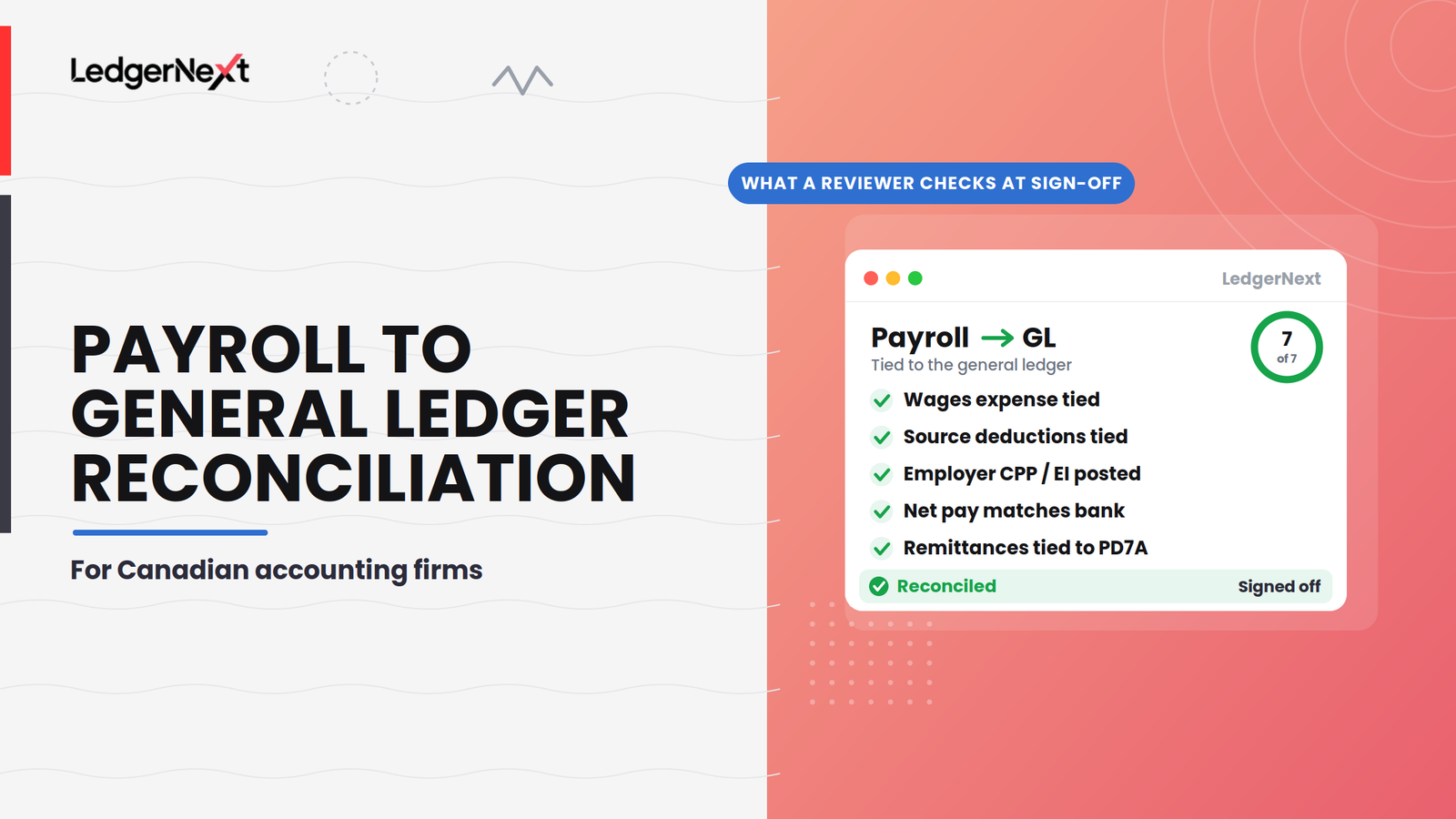
Payroll-to-GL reconciliation is the process of verifying that payroll activity, as calculated and reported by the payroll system, has been accurately recorded in the client’s general ledger. That includes wages expense, employer costs, source deductions, net pay, and the related liability and bank accounts.
The chain looks like this:
Each link can break independently. The payroll register can be perfect while the journal entry that records it in the GL is missing, duplicated, misclassified, or posted to the wrong period.
Why payroll can be correct while the books are wrong
This is the distinction most generic reconciliation guides skip, and it’s the entire reason this reconciliation deserves its own review separate from bank reconciliation.
Payroll processing and payroll accounting are two different activities. The payroll provider calculates gross pay, deductions, employer contributions, and net pay. That’s processing. The accounting side is about how those amounts land in the GL, which accounts they hit, when they post, and whether liabilities clear when remittances are paid.
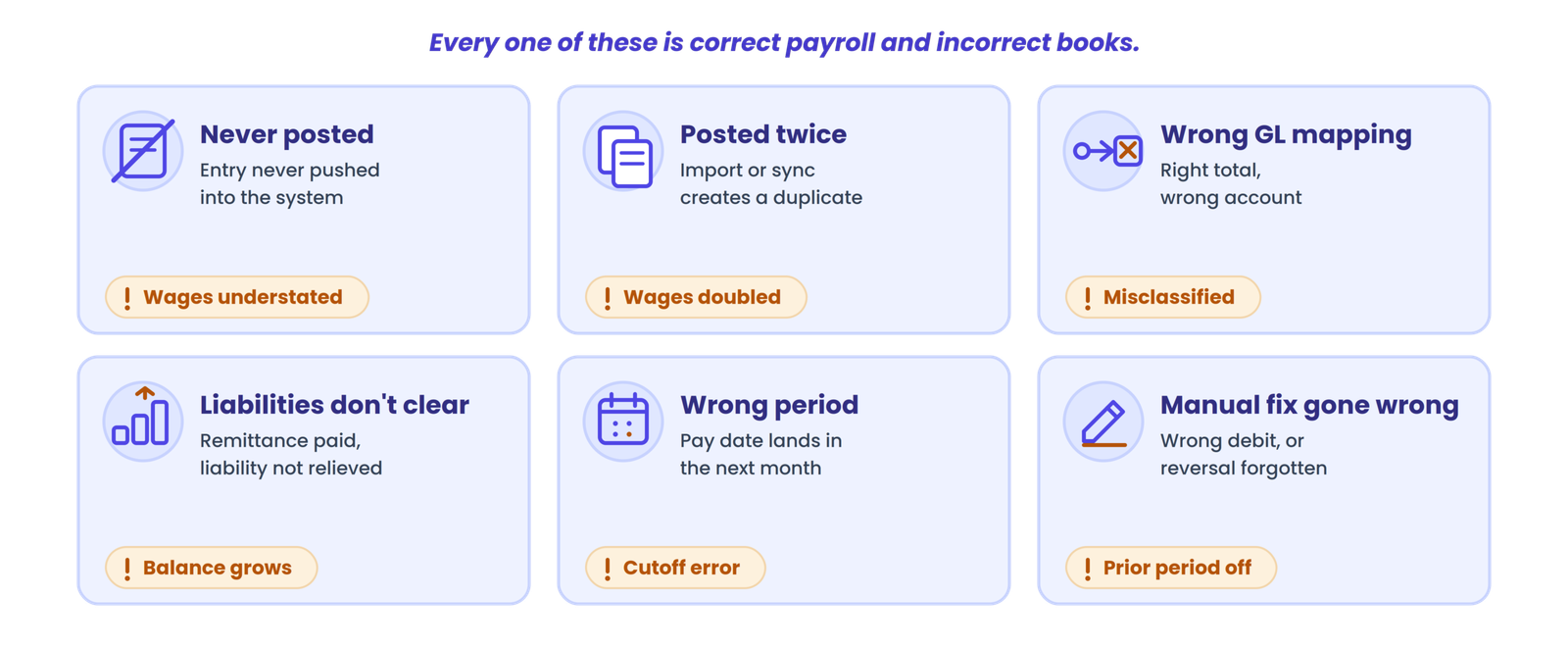
Here are the scenarios I keep running into:
Every one of these situations involves correct payroll and incorrect books.
Records needed for the reconciliation
| Record | Compare against | What to check |
|---|---|---|
| Payroll register | Payroll journal entry | Gross pay, deductions, employer costs, net pay |
| Payroll journal entry | General ledger | Posting date, amounts, account classification |
| General ledger (wage accounts) | Payroll register | Period totals, account mapping |
| General ledger (liability accounts) | Remittance records, payroll register | Outstanding balances, cleared amounts |
| Bank statement/activity | Net payroll from register | Cash movement, timing |
| CRA remittance confirmation / PD7A | Liability accounts, payroll register | Amounts remitted vs. amounts withheld and accrued |
| Payroll adjustment entries | Supporting documentation | Authorization, correct GL treatment |
For firms managing multiple clients, standardizing which reports you request from the payroll provider saves significant time. Canadian payroll guidance from practitioners like HBT Accounting emphasizes building this report checklist (payroll register, bank statements, GL, remittance records, and year-end slips) into your recurring workflow rather than scrambling for documents at year-end.
What should match during the reconciliation
| Payroll record | Accounting record | What to review |
|---|---|---|
| Gross wages per register | Wages/salary expense in GL | Amount and expense classification by department or cost centre, where applicable |
| Employee source deductions (income tax, CPP, EI) | Payroll liability accounts | Amounts withheld, outstanding balances |
| Employer CPP/EI contributions | Employer payroll expense and/or liability accounts | Correct posting, correct account |
| Net pay per register | Bank withdrawal/payment activity | Cash movement and timing |
| Payroll adjustments | Manual journal entries | Supporting documentation and correct GL treatment |
| CRA remittances paid | Liability accounts and bank activity | Payment amount, remaining liability balance |
| QPP/QPIP amounts (Quebec employees) | Separate liability/expense accounts | Reconciled independently from CPP/EI |
That last row matters more than people expect. AWDitify’s practitioner documentation notes that Quebec payroll creates multi-jurisdiction reconciliation complexity that generic guides usually skip entirely. If you have clients with employees in Quebec, reconcile QPP and QPIP separately from federal amounts. Mixing them is one of the fastest ways to produce a reconciliation that looks right but isn’t.
The reconciliation workflow
Rather than giving you a numbered procedure to execute (for that, see a detailed month-end close checklist for Canadian accounting firms), I want to explain the logic behind the workflow so you understand what each check actually proves.
Confirm the payroll period and pay date first. This sounds obvious, but cutoff problems are the single most common timing issue I see. A pay date in the first few days of a new month can easily land in the wrong period if the posting date isn’t set correctly.
Match the payroll register to the journal entry. The register is your source document. Every dollar on the register should appear somewhere in the journal entry: gross wages as a debit to expense, deductions as credits to liability accounts, employer contributions as debits to expense and credits to liability, net pay as a credit to cash or a clearing account. If the journal entry total doesn’t tie to the register, stop. Nothing downstream will reconcile.
Trace the journal entry into the GL. A balanced journal entry can still be posted to the wrong account. Check that wages expense hit the correct wage accounts (and the correct cost centre allocations, if the client uses them). Check that liability accounts received the correct credit amounts. Oracle’s payroll-to-GL documentation notes that some setups require a reconciliation differences account when costing posts before the GL entry, which is another place amounts can get stuck.
Reconcile net pay to the bank. The bank withdrawal for payroll should match the net pay total from the register. If it doesn’t, check whether the bank withdrawal includes remittances, benefits payments, or garnishments that are bundled into a single withdrawal. Split the cash outflow into net pay and non-payroll items before comparing.
Review payroll liability accounts. This is where I spend the most time, and it’s the check that catches the most problems. After remittances are paid, liability accounts should trend toward zero. If a payroll liability account carries a growing balance, something is wrong: either remittances aren’t being recorded, or accrual reversals are missing or misdated, or the liability was never properly relieved. Investigate the balance, don’t just note it.
Check remittances against the CRA account. Tie the remittance payment to the PD7A or CRA payroll account transaction, not just the bank total. The bank shows cash left; the CRA account shows whether the right amount was applied.
Document everything. Differences, explanations, corrections, and remaining items. If you can’t explain a difference, flag it. A reconciliation that says “agreed” without evidence isn’t a reconciliation.
Close the gap between payroll and the books
LedgerNext connects payroll and bookkeeping for Canadian accounting firms, so fewer amounts break on their way into the GL and your review time goes to real exceptions.
Common reconciliation problems (and what’s actually going on)
| Symptom | Likely root cause | First check |
|---|---|---|
| GL wages expense is short by one pay run | Payroll journal not posted before period close | Look for unposted entries in the payroll system |
| CRA remittance doesn’t match deductions withheld | Payment timing or missed remittance posting | Tie remittance to PD7A first, then check the bank |
| Liabilities won’t clear to zero | Accrual reversal missing or misdated | Check reversal dates and the open period |
| T4 Summary doesn’t equal GL annual totals | Year-end adjustment or manual entry omitted | Rebuild from payroll register totals, compare to slips |
| Cost centre splits look random | Paycode-to-GL mapping misconfigured | Inspect the paycode setup before chasing journal entries |
| Bank withdrawal exceeds net pay | Third-party remittances or benefits bundled in | Split the withdrawal into components |
| Reconciliation fails in only one client file | Legacy opening balances or import errors | Rebuild from source documents |
Not every difference is an error. A net pay amount that doesn’t match the bank on the exact same date can be a legitimate timing difference if the payment was initiated on the last day of the period but cleared the next business day. Document it, confirm it clears, and move on.
Payroll reconciliation at month-end
Payroll reconciliation should be part of your recurring close workflow, not something you discover during year-end cleanup. Canadian year-end payroll guidance consistently emphasizes monthly or quarterly reconciliation rather than annual scrambles.
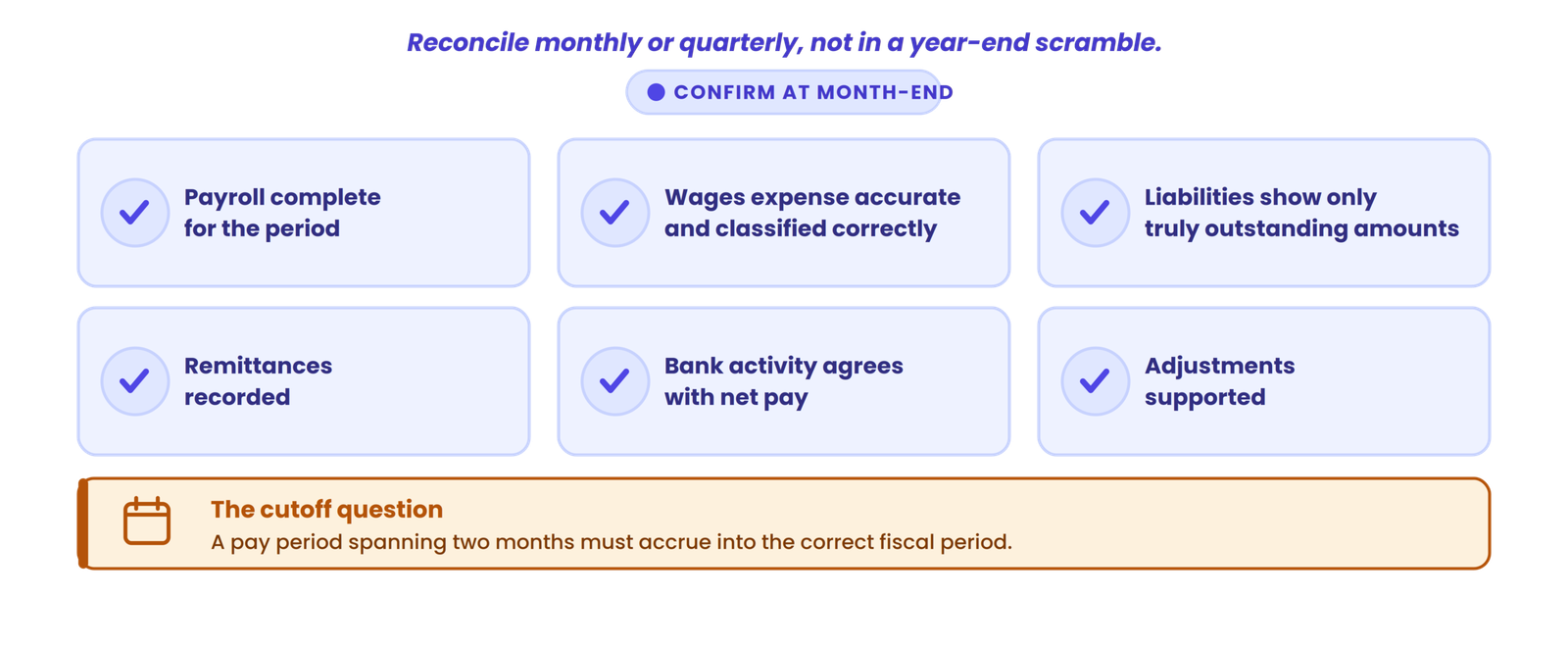
At month-end, confirm: payroll is complete for the period, wages expense is accurate and classified correctly, payroll liabilities reflect only genuinely outstanding amounts, remittances are recorded, bank activity agrees with net pay, and any adjustments are supported. If your firm uses a structured bookkeeping quality control checklist, payroll reconciliation slots in as one component of that review.
The cutoff question matters here. If a pay period spans two months, how does the client’s payroll handle the accrual? Year-end accruals for wages earned but not yet paid need to land in the correct fiscal period.
What should a reviewer look for
A reviewer checking payroll-to-GL reconciliation should go beyond “does the entry balance” and ask:
If you’re reviewing across multiple clients, firms that handle multi-client payroll will recognize that standardizing these review questions is the only way to maintain quality at volume.
Payroll-to-GL reconciliation vs. bank reconciliation
Bank reconciliation checks whether the accounting records agree with bank activity. Payroll-to-GL reconciliation checks whether payroll records agree with the accounting records, including expense classification, liability treatment, and cash.
A bank reconciliation will confirm that a payroll withdrawal cleared the bank. It will not tell you whether that withdrawal was posted to the correct expense accounts, whether employer CPP contributions were classified properly, or whether the related liability was relieved. That’s why payroll-to-GL reconciliation exists as a separate check. Firms that rely solely on bank reconciliation to validate payroll are missing classification and liability problems that surface at year-end, often when common payroll mistakes have already compounded.
Payroll-to-GL reconciliation checklist
Payroll source
General ledger
Bank
Liabilities and remittances
Review
Making the process more efficient
For firms reconciling payroll across many clients every month, the biggest time savings come from consistency, not automation hype.
Standardize which payroll reports you require from every client’s payroll provider. Use consistent account mapping so the same type of payroll cost posts to the same type of GL account across your client base. Build exception-based review into the workflow: if the payroll register ties to the journal entry and the journal entry ties to the GL and the bank, spend your time on the exceptions rather than re-verifying amounts that already agree. Document reconciliation evidence as you go rather than reconstructing it later. And reduce unnecessary manual re-entry between systems wherever possible. Firms that reduce bookkeeping errors through standardized processes catch problems faster and spend less time on rework.
When payroll and bookkeeping data are connected in the same system, the manual transfer step between “payroll was processed” and “payroll was posted” shrinks or disappears. That’s one of the things LedgerNext was built to support: reducing the gap between payroll data and the accounting records so the reconciliation starts from a cleaner position.
The reconciliation still needs to happen. Connected systems don’t eliminate the need for review. They reduce the number of places where data can break on its way into the GL, which means your review time is spent investigating real exceptions instead of chasing data-entry errors.
Your next problem after building this workflow
Your next problem after building this workflow is maintaining it across every client, every period, without it degrading as your team grows. That’s a process management question more than a reconciliation question, and it’s worth solving before year-end pressure makes the decision for you.
Payroll and bookkeeping in one workflow
If your firm is spending time manually transferring payroll data into client books, request a demo to see how LedgerNext connects payroll and bookkeeping for Canadian accounting firms.